Notebook overview
Understand how Querio's notebook works.
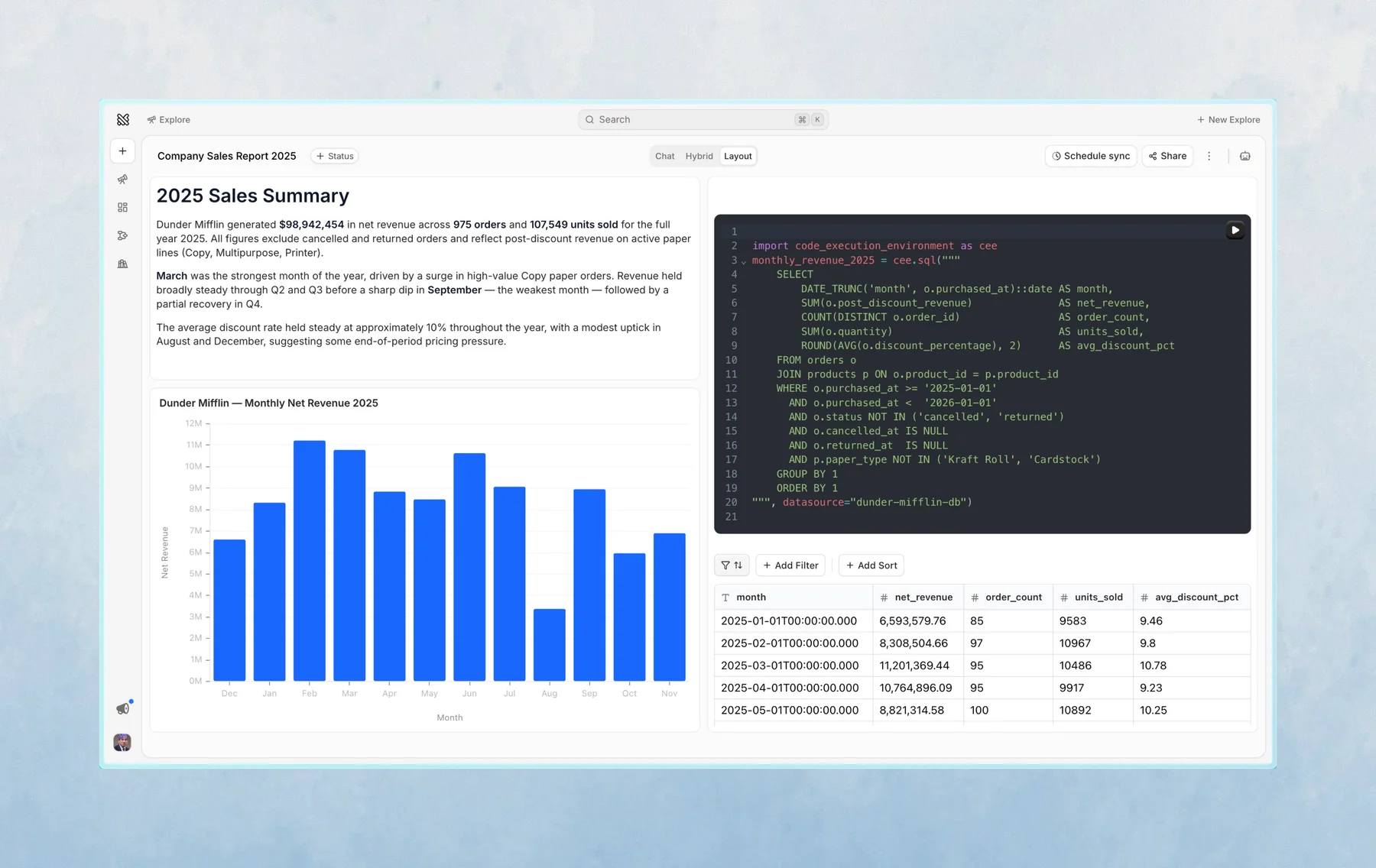
The notebook is where Querio shows its work.
Each notebook is made up of cells. Cells can contain SQL, Python, Markdown, tables, charts, or written explanations.
Why the notebook matters
The notebook makes the analysis inspectable. Instead of only seeing a final result, you can see the steps Querio took to get there.
This is useful when you want to:
- Check the SQL Querio wrote
- Edit part of the analysis
- Re-run or continue from an existing result
- Bookmark important cells
- Add selected cells to a layout
Reactivity
Notebook cells can depend on earlier cells. When you change something upstream, downstream results can update from that change.
This lets you keep the analysis flexible without starting over.
Continuing from a notebook
You can ask the agent to change a cell, explain a result, or build on top of an existing output. Tag or mention the cell when you want Querio to focus on a specific result.
Large agent tool results
Large shell and file-tool results are shown as a preview of up to 2,000 lines or 50 KB. When the environment service shortens a result, it saves the output to a temporary file and includes the path so the agent can inspect it with shell commands. Shell output is captured incrementally; shell previews keep the end of the output, while other tool previews keep the beginning.
Saved output is limited to 10 MiB per file and five files per environment service (50 MiB total). Beyond a file's limit, only its first 10 MiB is saved, and the result says the saved output is partial. Later tool calls can evict the oldest completed output files. If all five files are being written, another tool can still return a preview, but its full output is not saved.
These files are temporary, not durable workspace files. Remaining files are removed when the environment service exits.
Reconnecting after a restart
After a server restart, Querio uses the saved conversation to resume unfinished agent responses automatically when you reconnect. Completed responses and explicitly stopped work stay stopped.
If an interrupted tool has no saved result, Querio shows an interruption error instead of retrying it automatically. Check whether the action took effect before asking the agent to try again.
Recovery is best-effort. Unsaved changes can be lost after a hard crash. During rolling deployments, overlapping server instances can repeat work or overwrite newer notebook edits and conversation messages.
Last updated on October 19, 2026