Analyze your data
Mentions
Use mentions to guide Querio to specific resources and actions.
Mentions are shortcuts you can use in the Explore composer to tell Querio exactly what resources or actions you want to use.
By typing @ in the composer, you can open a menu to mention:
- Workspace resources: Specific datasources, catalog tables, and golden queries.
- Skills and actions: Specific workflows or actions you want Querio to run (these previously used slash
/commands). - Notebook cells: Specific outputs and results from the current explore.
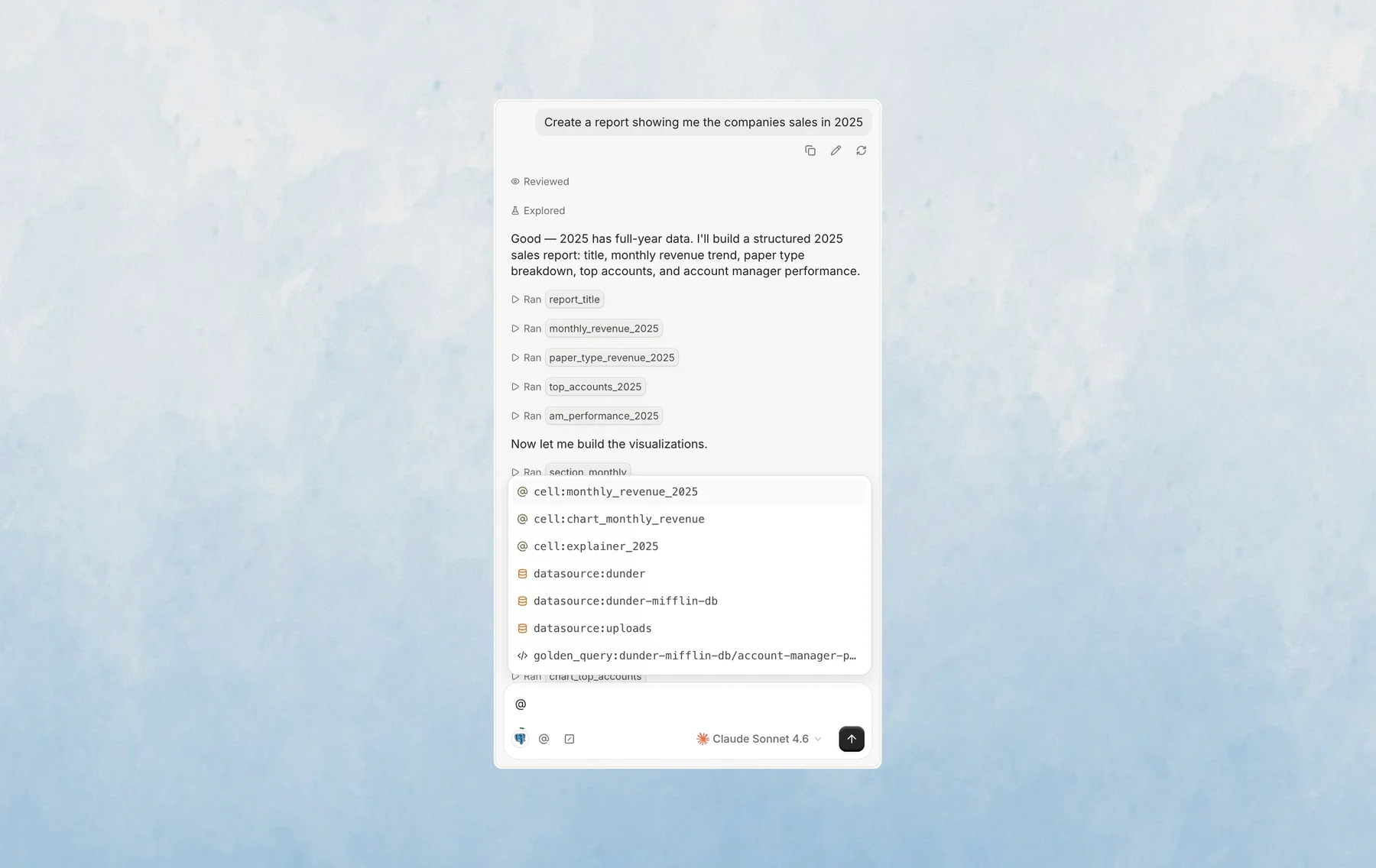
Use mentions when you want to direct the agent more precisely than a standard request.
Examples of when mentions are useful:
- Starting a specific kind of analysis by using a skill or action.
- Reusing a common workflow or logic via a golden query.
- Asking Querio to edit or explain a specific notebook result by mentioning its cell.
The exact mentions available depend on your workspace and how Querio has been configured.
Last updated on October 19, 2026